Skip to successes (case studies)
Go back Go back

MS Unified Billing

I replaced a decades-old DOS system, a read-only web tool and macro-heavy spreadsheets with one AI-assisted billing platform that surfaces billing errors automatically.

Overview

Users called the way they found, diagnosed and resolved billing errors "very inefficient and outdated." Their process ran on a legacy DOS command-line system that took years of training to master, a separate web system used alongside it, and Excel spreadsheets full of macros. As part of a multi-year initiative, I designed a new system that uses AI to find billing issues based on past audits and SEC or Morgan Stanley rule changes. I was the sole lead UX and UI designer, responsible for strategy, research, driving the project and the final experience.

Key outcomes

Estimated for the billing variance use case, compared with today's two-system process.

~2 min per variance

~2 min per variance

Estimated end to end in the new platform, down from about 9 minutes today.

One system, not two

One system, not two

The alert, the account information and the update all live in one place.

Four steps become three

Four steps become three

Users go straight from the alert to the information they need and make the update.

Where AI helps

The AI detects fee schedules that break SEC or Morgan Stanley rules and alerts the user to fix them. Today a dedicated team finds these through manual audits. The goal isn't to replace that team; it's to give them back hours of auditing by learning from how they audit.

Initial strategy

Untangling decades of complexity takes a clear plan. I built one that kept users, stakeholders and me moving forward together, one step at a time:

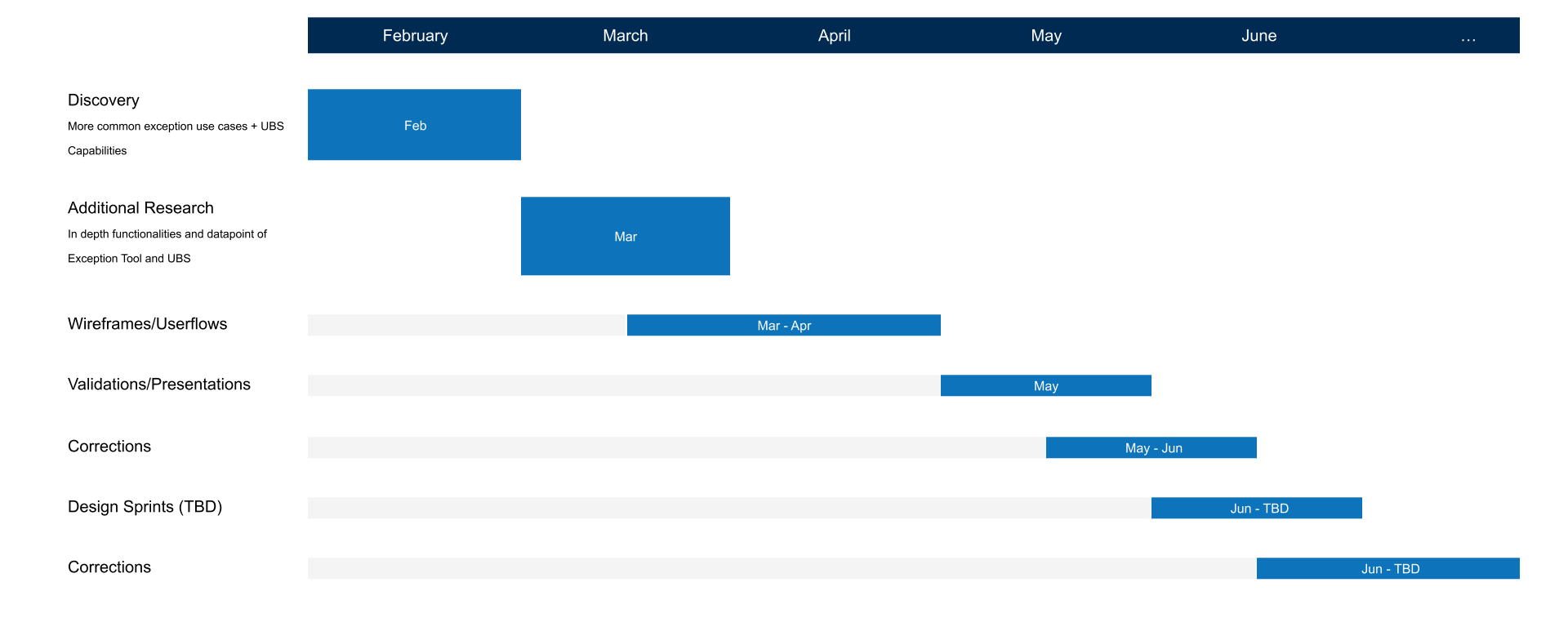
Unified Billing System UX Timeline
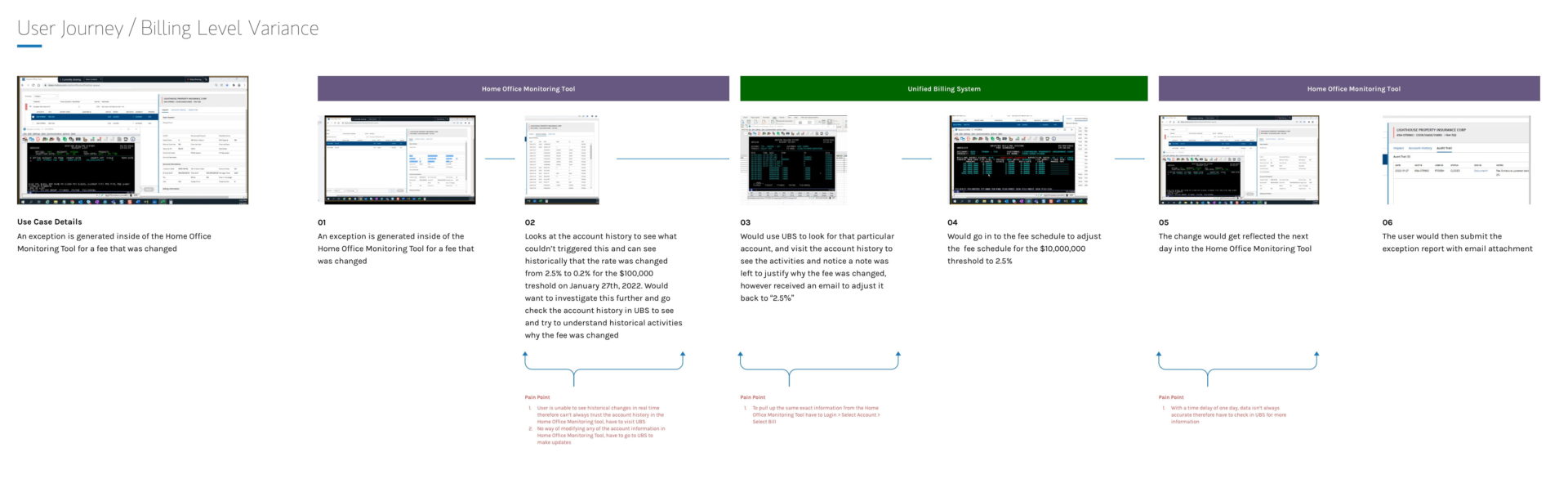
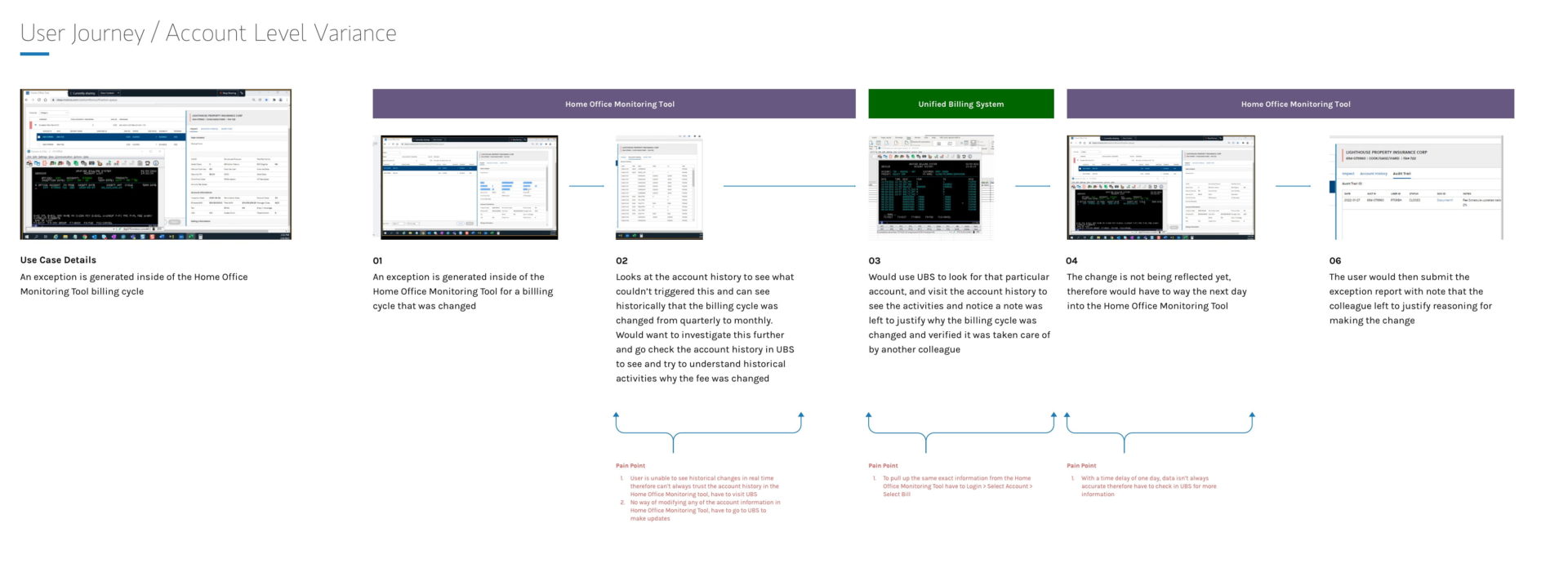
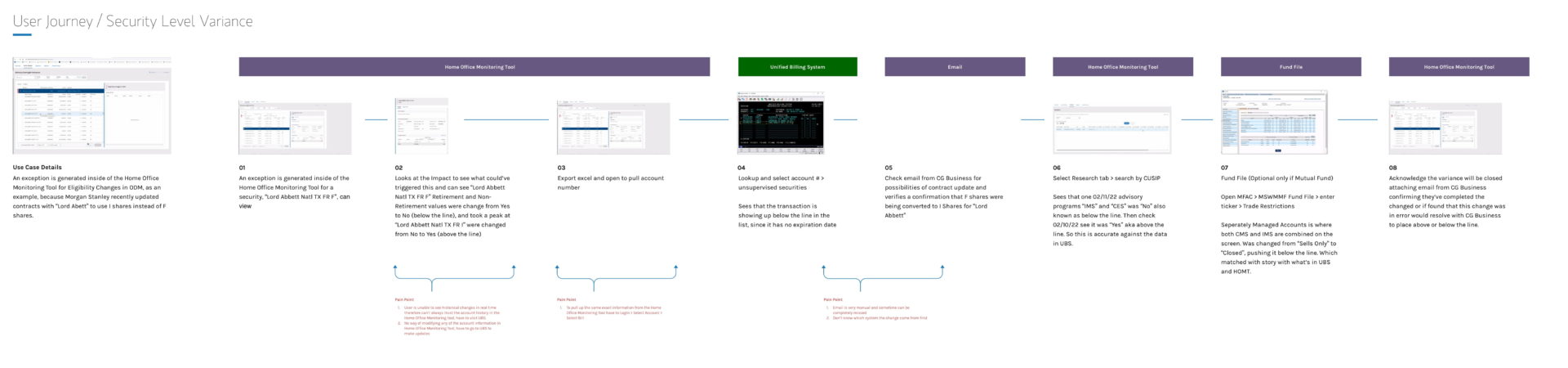
  1. Run group sessions with users and stakeholders to capture their biggest pain points and journeys
    • Billing Level Variance UX Userflow
    • Billing Level Variance UX Userflow
    • Billing Level Variance UX Userflow
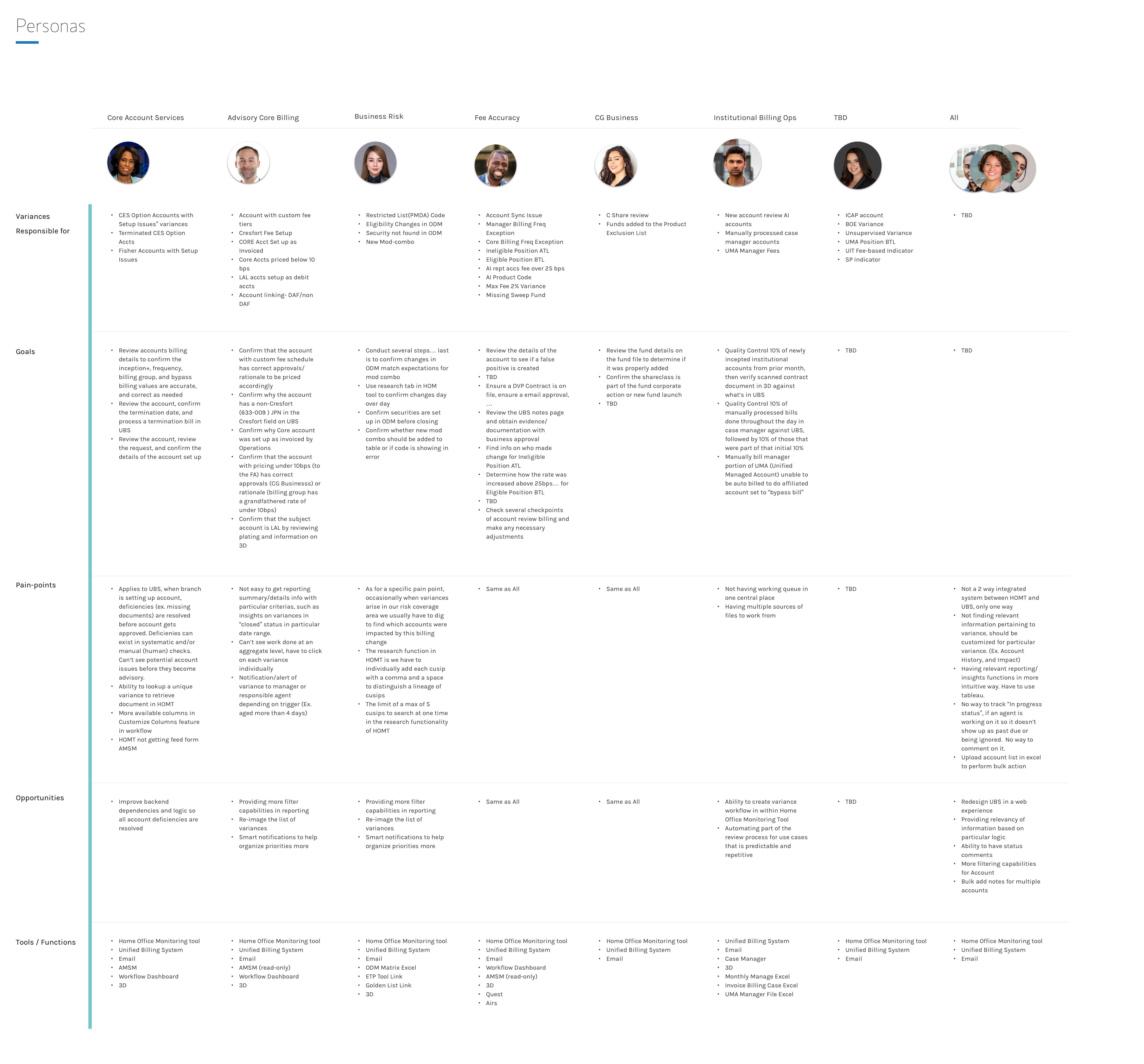
  2. Map the team structure, managers and analysts, and what sets their work apart, captured as personas to show where teamwork could be more efficient
    • Unified Billing System User Persona
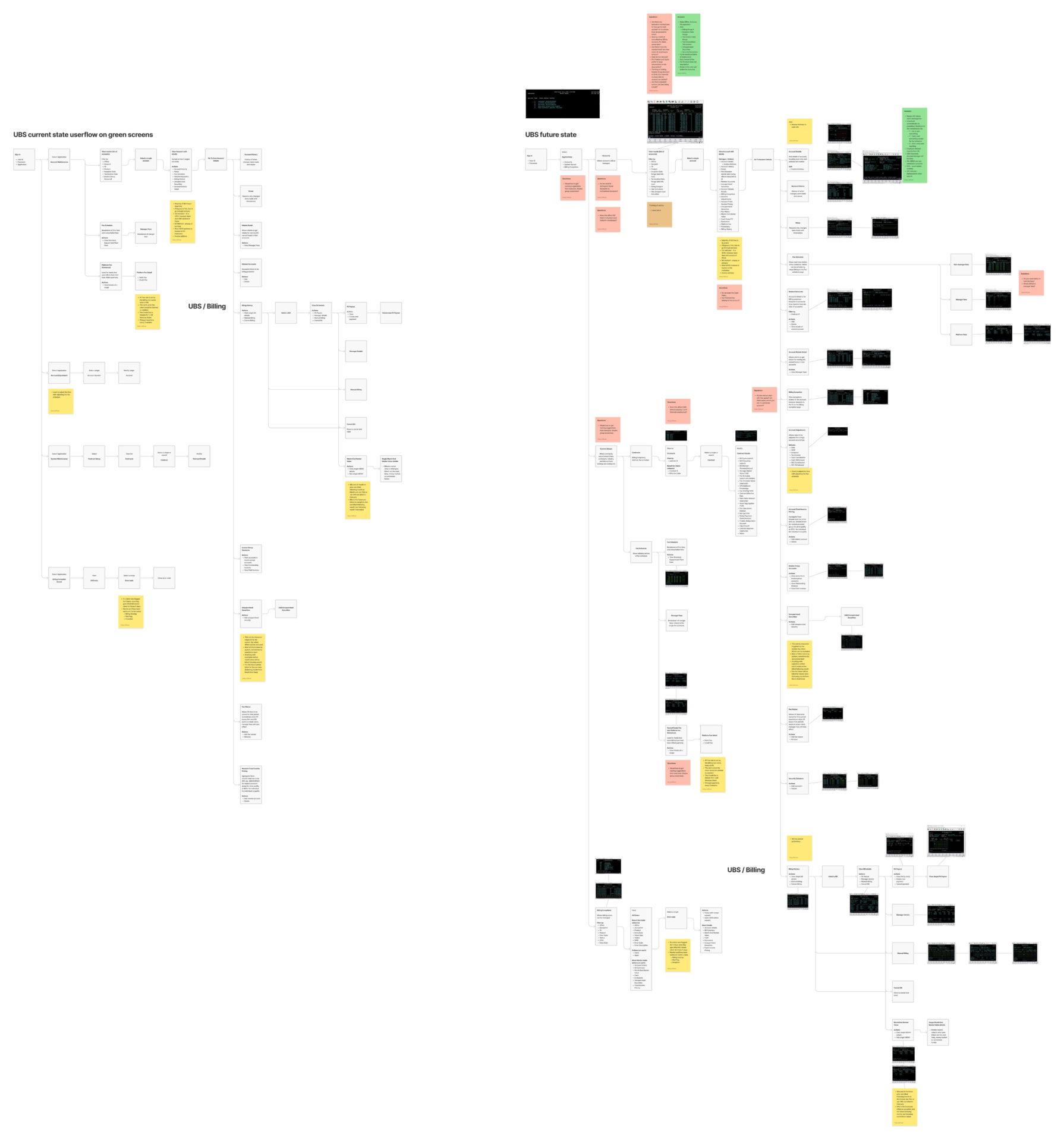
  3. Chart every system each user type touches to draw the current information architecture, then sketch the future state with users
    • Unified Billing System Information Architecture Snippet
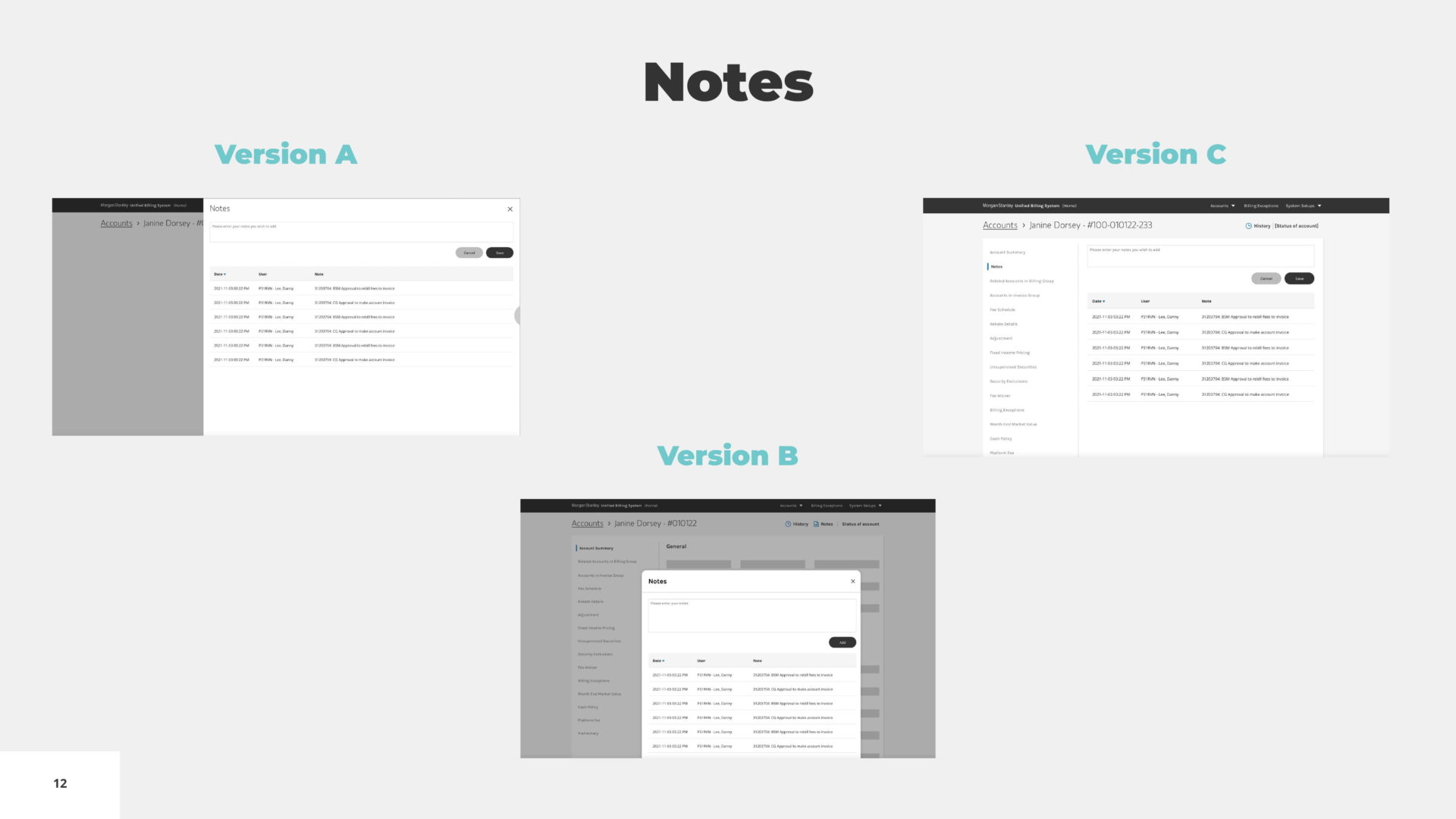
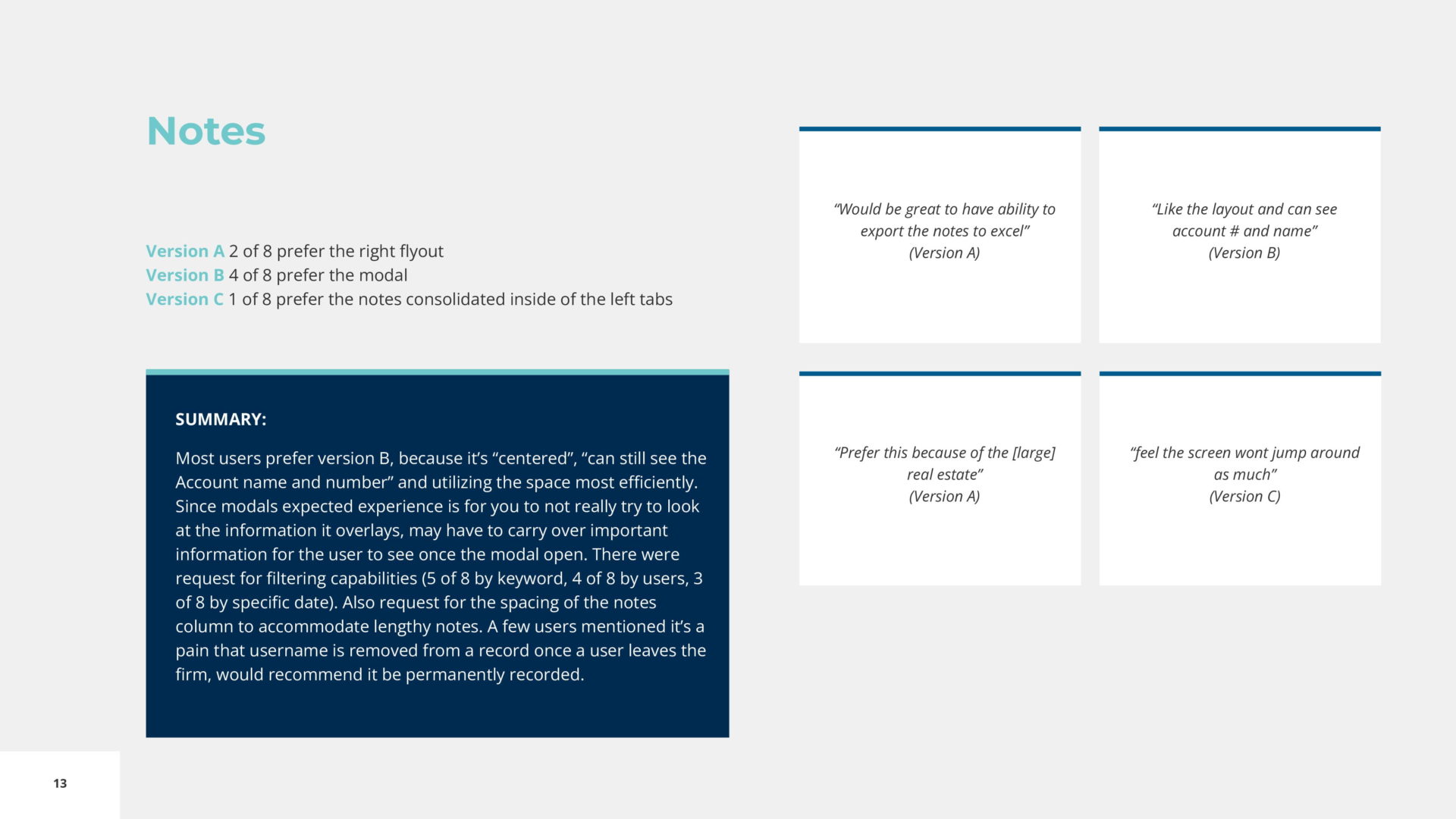
  4. Use those journeys, personas and architecture to build early concepts, then test them in one-on-one moderated sessions for clear, unbiased insight on search, navigation, page orientation, notes, history and audits, billing details and integrations
    • Unified Billing System Early Concepts User Testing Notes 1Unified Billing System Early Concepts User Testing Notes 2
  5. Dig into the findings and build out the experience iteratively
  6. Once users could do most of their daily work in the application, apply visual design with the Morgan Stanley design system
  7. Work iteratively with developers, stakeholders, subject matter experts and users to align on the first launch

Pain points

Too many systems

Resolving a retail or institutional client issue meant jumping between multiple systems.

A read-only web system

The web system could show account data but not change it.

Updates that didn't sync

The DOS system was editable, but its updates never reached the web system.

Variances meant double work

A variance is a billing error flagged by Morgan Stanley rules, SEC regulations or client requests. Most billing runs automatically, but advisors can override fees, and the SEC or a fund institution can introduce unpredictable rules, so affected accounts had to be found, reviewed and updated by hand, in both systems at once.

Key details out of view

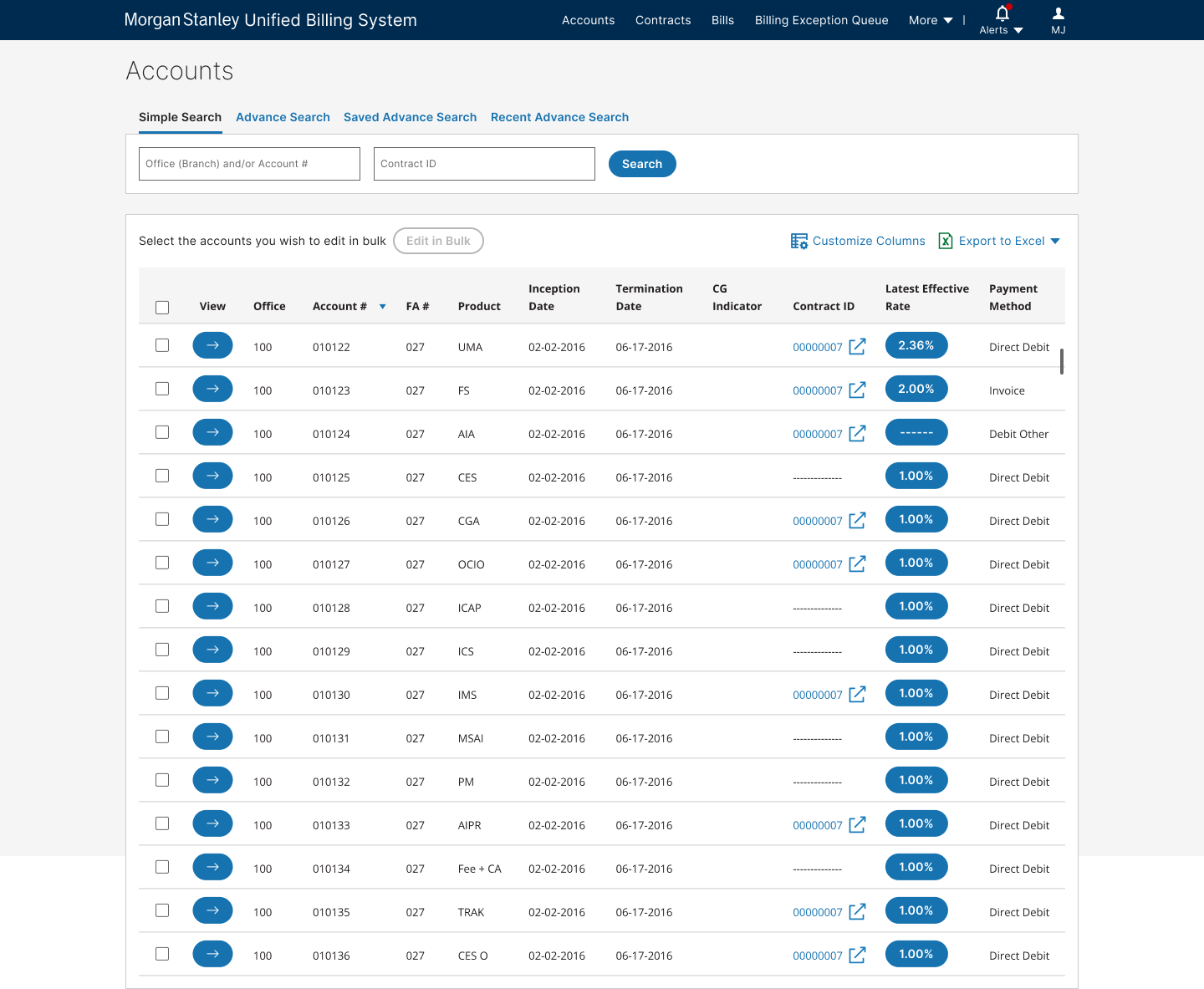
Information like the latest fee wasn't visible while working through a list of accounts.

Search that fell short

Search was too limited, so SEC changes and client requests depended on macros.

Excel as a workaround

Users pieced information together in Excel just to close a task.

Knowledge in people's heads

Undocumented rules and procedures lived only with subject matter experts.

Requirements

  • Accessible web app

    A responsive web application, WCAG 2.1 AA compliant.

  • Flexible search

    Search and view accounts by any mix of attributes.

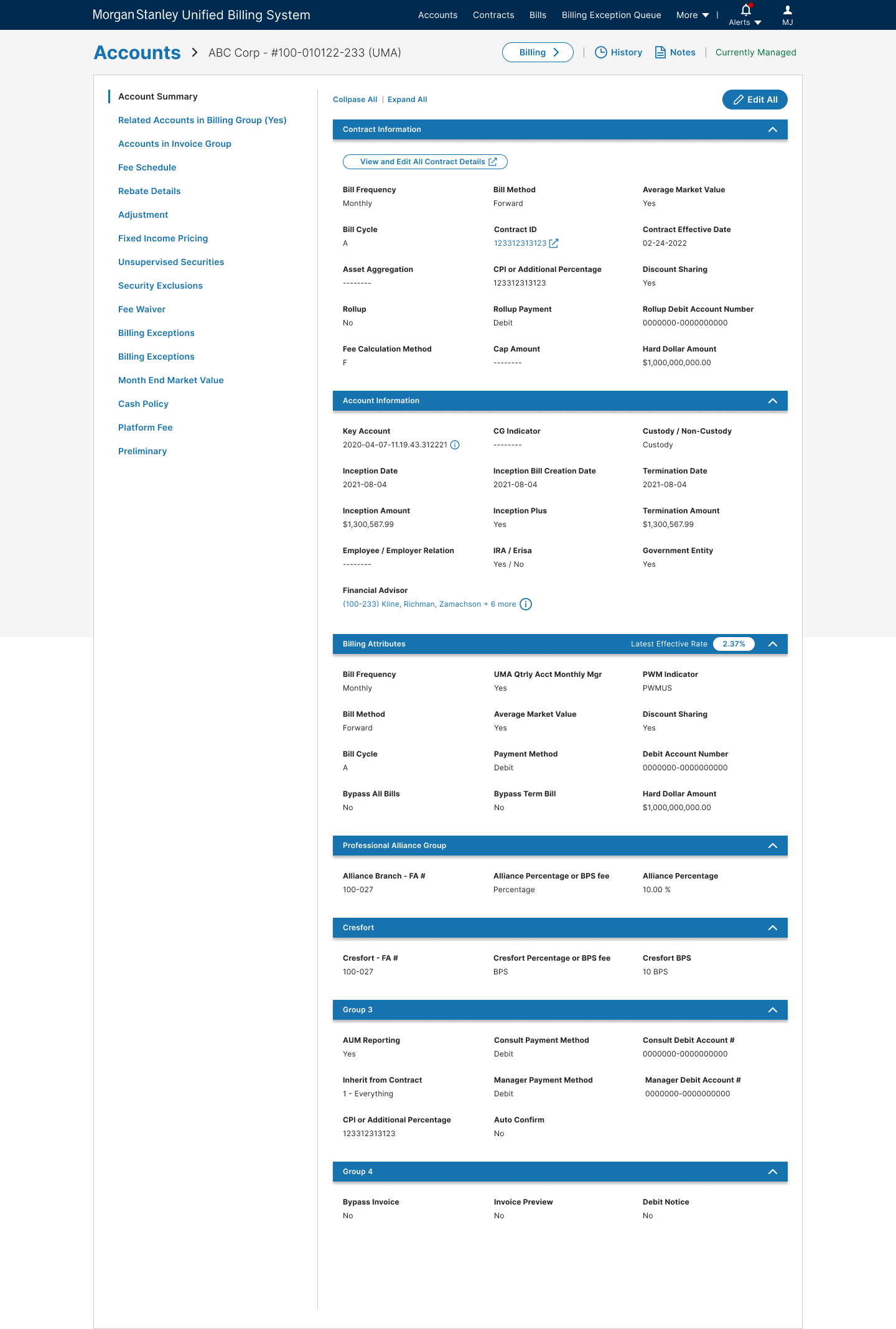
  • Layered account details

    View multiple layers of account details.

  • Notes and audit trail

    View notes and the audit trail of account updates.

  • Billing activity

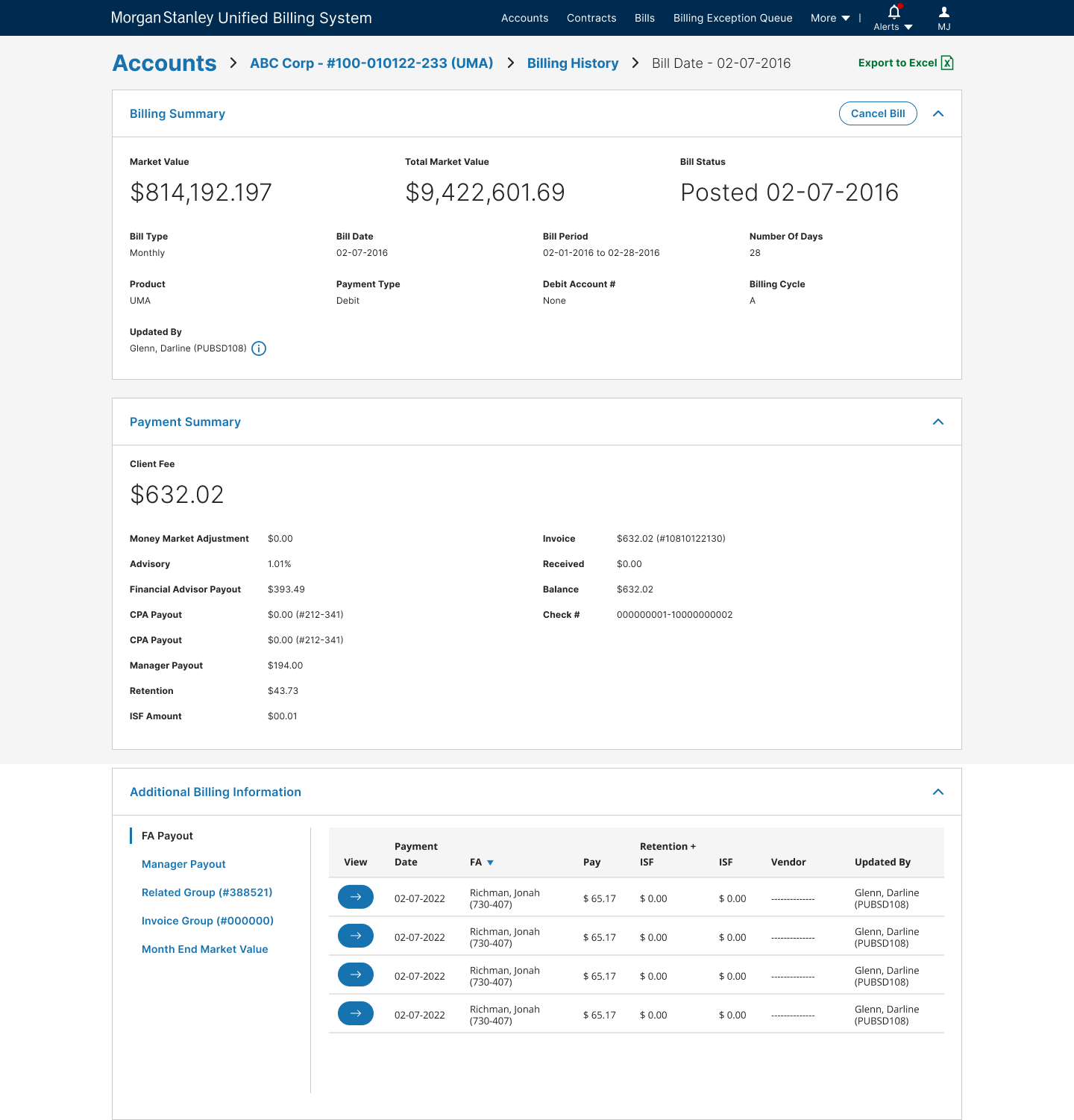
    View billing activity within an account.

  • Transaction updates

    View and update a billing transaction.

  • Deep links

    Deep-link accounts or billing details from other systems.

Information architecture

  • I mapped the current and future state, combining user flows and information architecture. Once I understood how the screens connected, I started with a hypothesis and refined it after the early concept sessions.
    Unified Billing System Information Architecture Full

Highlights

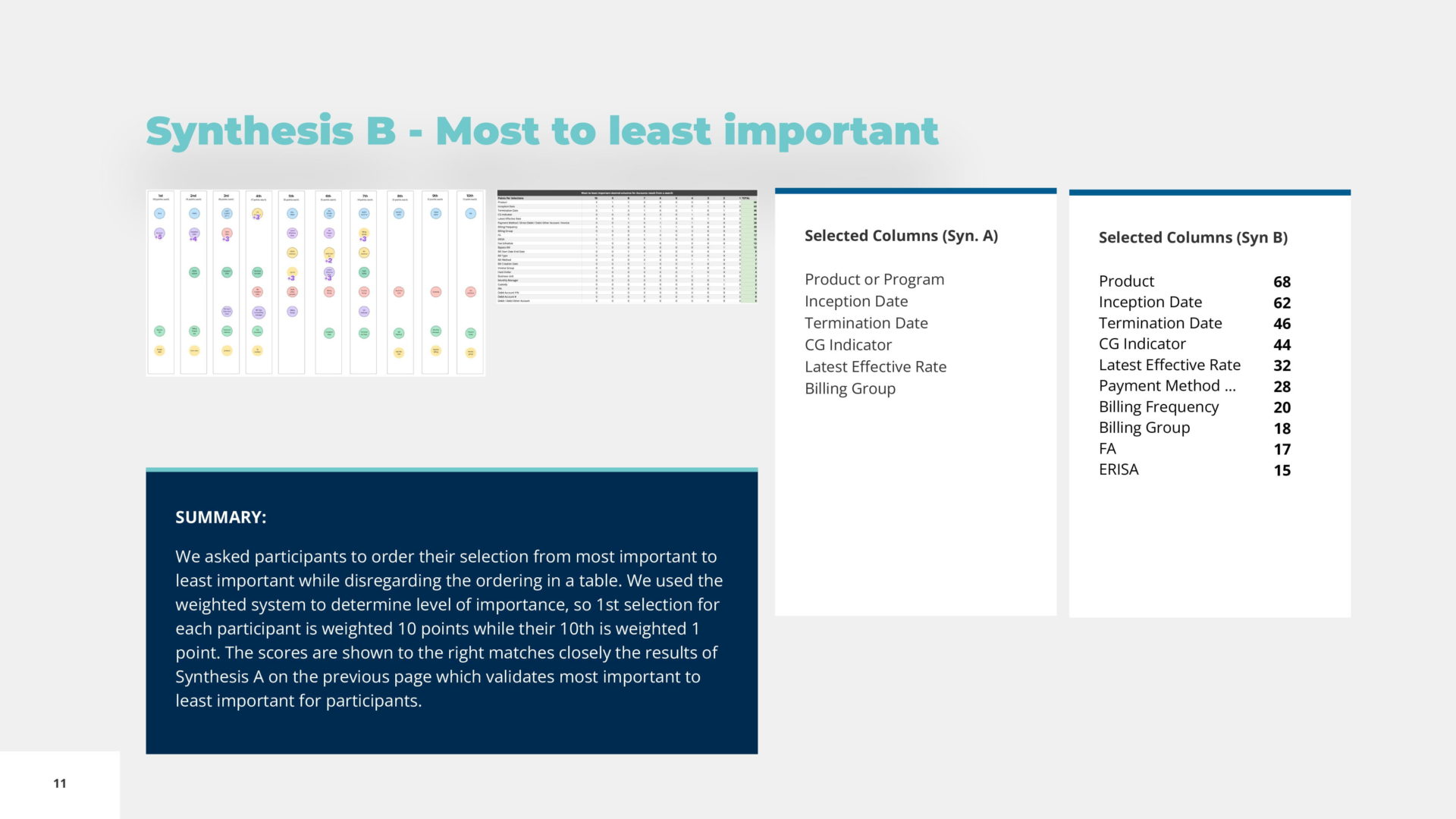
  • Card sorting — A column-priority workshop with users defined the default view for account search results
    • Unified Billing System Account Column Priority
  • Data grouping — An account details workshop revealed how users group and relate the data
    • Unified Billing System Closest Matching Data Account Details
  • The hardest part — Billing details, with their numeric correlations, took the most iteration
  • Better together — Reviews with subject matter experts and developers brought many valuable opinions. I used them to unify institutional and retail work into one seamless experience, cut steps and add the billing details users needed

Innovations

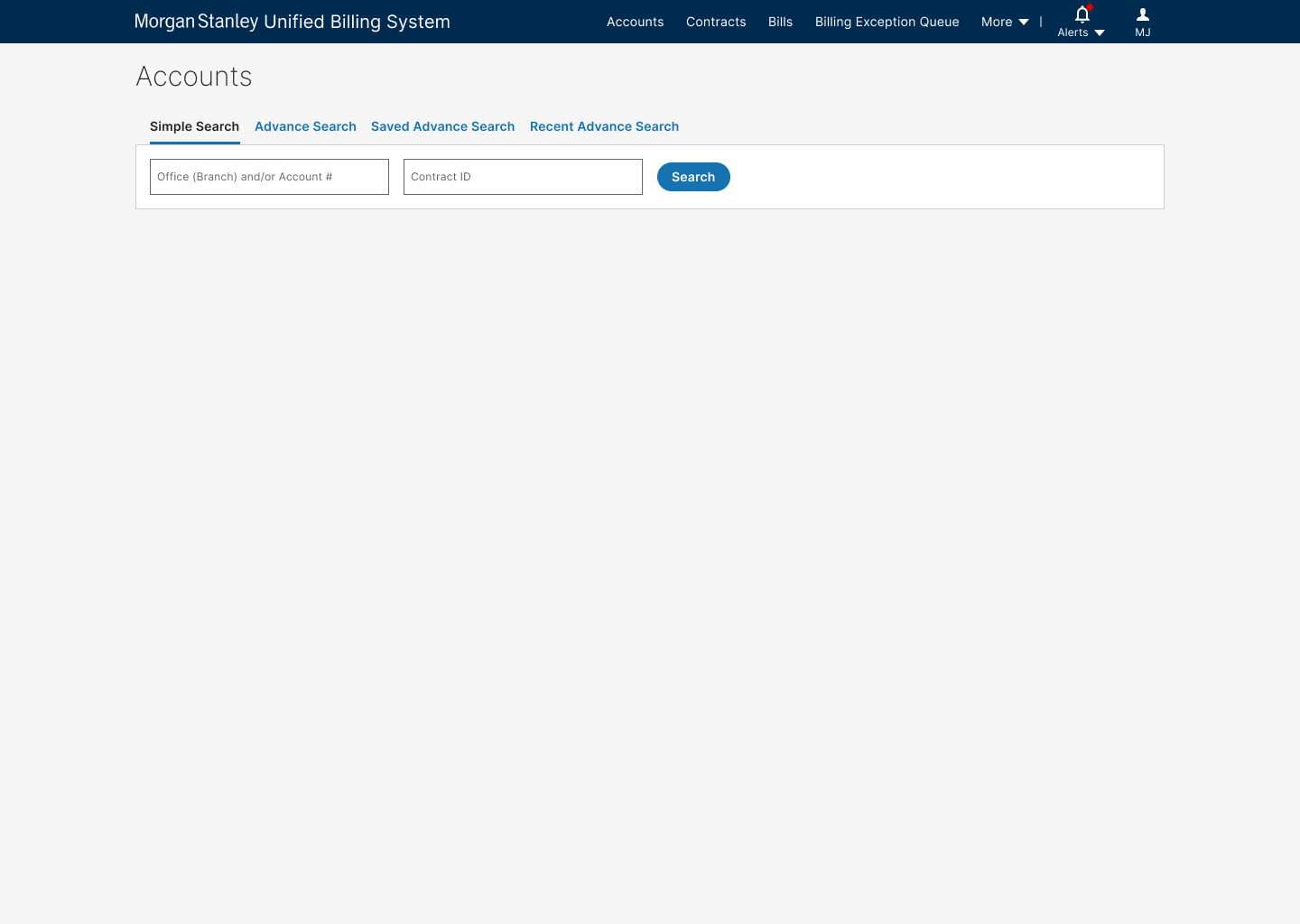
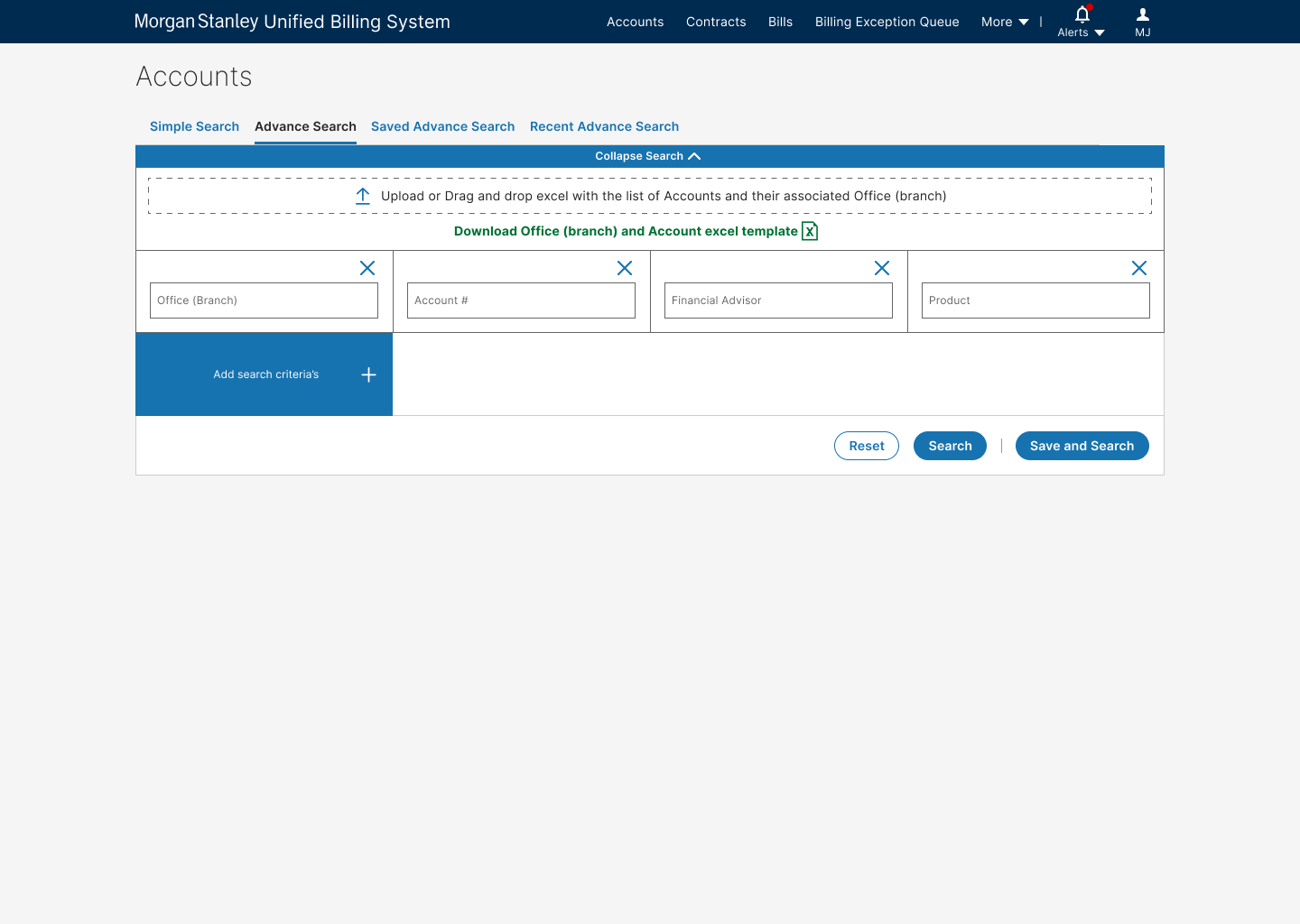
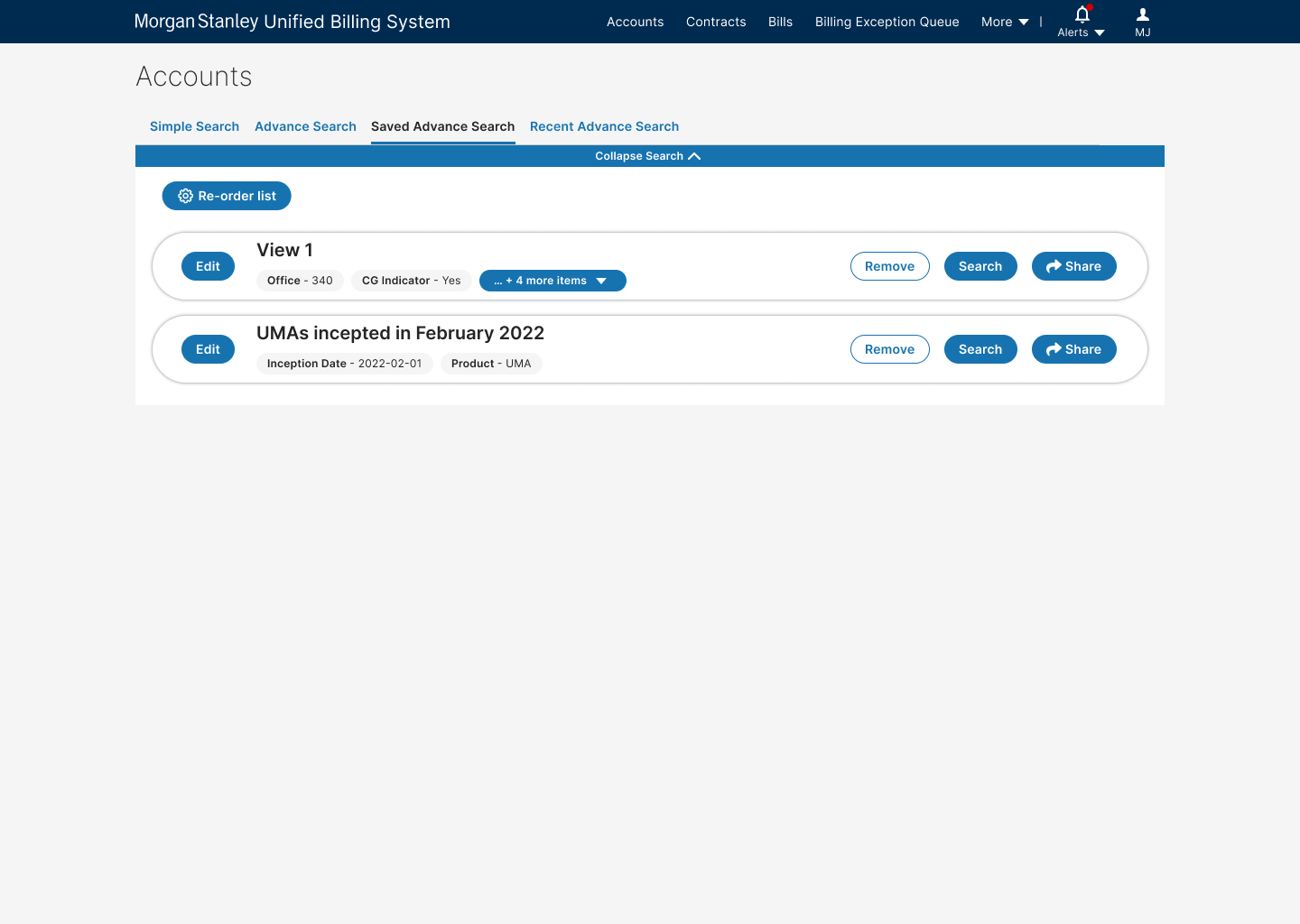
  • Search that does more:
    • Simple search
    • Advanced search with any mix of attributes
    • Saved searches to manage and run
    • Saved searches shared with teammates
    • Recent unsaved searches
  • Bulk changes to accounts, no macros needed
  • Alerts that help users prioritize and manage their work and see assigned tasks

Final designs

Future outlook

  • The exception tool stays, because audits depend on it; the next step is syncing it with the new system instead of waiting 24 hours for updates. That means working through technical and security constraints with the development team. With a legacy system over two decades old, this is a migration of five years or more, and the legacy application will stay live for historical records.
  • Email stays too: hedge funds, mutual funds and other institutions contact users that way. A central system that funnels every request would be ideal, but the complexity of those communications calls for a dedicated platform of its own.